A working screen is one milestone. A product someone can download, understand, and get help with takes more work. Sunfall gave us a concrete way to carry a small software product through that whole process.
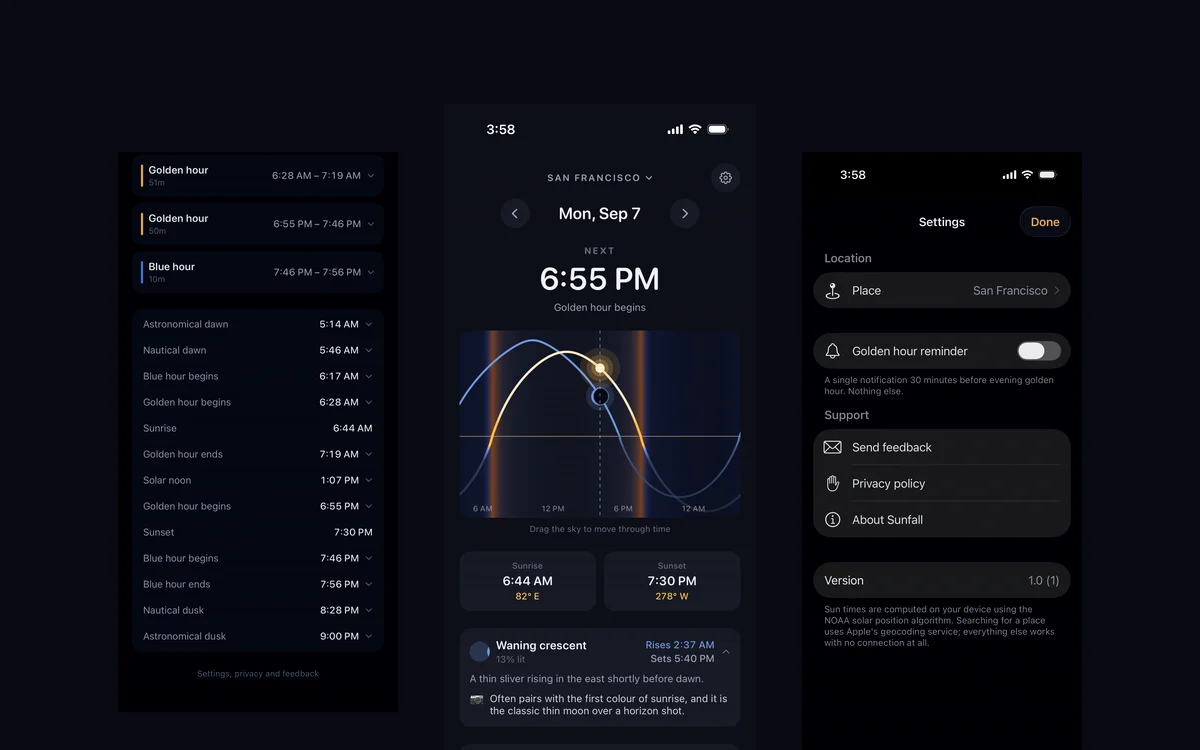
The result is an iPhone app for golden hour, sun position, and the moon, now available on the App Store. The useful lessons extend beyond the app's subject.
Define the first release around one job
Sunfall's job is to help someone understand the light at a place and time. That gave the interface a clear center: what is happening now, what comes next, and where the sun or moon will be.
That focus also set limits. There is no account, social feed, subscription, or advertising system in the released app. Each additional system would bring its own design, testing, and maintenance work.
For a business commissioning software, the same question is useful early: what must a user be able to accomplish in the first release? A specific answer is easier to design and verify than a long list of loosely connected features.
Let the use case shape the architecture
Sunfall's sun and moon positions can be calculated from a time and location. Running those calculations on the phone means the main experience works when there is no signal. A remote calculation service would add a dependency without improving that use case.
There is one practical exception: looking up a place by name uses Apple's geocoding service. Once saved, that place's calculations work offline.
This is a decision about the job the product needs to do. A shared client portal needs a different design because its users must see changing information across devices. The right architecture follows the information and access requirements.
Check the answer, then check the experience
A sun app can look convincing while showing the wrong time or direction. During development, Sunfall's solar and lunar calculations were compared with independent references, then its Swift implementations were checked against the validated results.
The interface needed its own checks. A moonlit night crosses midnight. Some locations have days when the sun never rises or never sets. Those cases affect both the answer and how it should appear on screen.
The original build notes describe the bugs these checks exposed. The broader lesson is to define how correctness will be demonstrated before treating a polished interface as finished.
Treat publishing and support as part of delivery
Sunfall's release needed more than application code. It also needed the App Store listing, a public product page, privacy information that matched the app's behavior, and a clear support contact.
Those pieces give a new user somewhere to understand the product before downloading and somewhere to go afterward. They belong in the release scope, with an owner for keeping them accurate as the product changes.
Sunfall is now available for iPhone with iOS 17 or later at $4.99 USD in the US App Store. See the project entry for the delivered scope and screenshots, or visit sunfall.app to try it.
Start with one clear job.
Have a software idea or a workflow that needs a better tool? Tell us who will use it, what they need to do, and what a useful first release would include. We can assess the scope and the right way to build it.
The button opens an email draft for you to review and send. Project scope, timing, and support are agreed before work begins.